
Hey al1!
A brief update beforehand. Sovereign Soul: Serpentine Empire is still coming along nicely – more nicely than I could have expected. You’ll be hearing news of it soon, I promise. In the meantime, I’ve been working hard all year to get into the industry of game design. Now, I’m currently part of a new game design company assisting in their narrative design. I’ll talk more about that in the future. In the meantime, I’m still studying game design, furthering my solo projects, and trying to build my skills to get further in the field. And, yes, I’m still writing. I’ve been quite busy.
I’d like to dig up a topic that I’ve been practicing for quite some time: storyboarding. There’s various ways to go about it. For a long time, I thought it was only applicable to a certain type of writer. The kind that orchestrates their every written moment, directing their characters relentlessly to one goal. Thou shalt follow the storyboard, and only the storyboard. Several attempts to force this have gone horribly awry, as my characters are fond of straying from the beaten path and suddenly killing each other, or getting killed, or killing… well, you get the point. Anyway, I realized the traditional method was not working for my story. It was too easy to have a character deviate, then I suddenly have to wreck the whole thing and practically start over.
The same goes for game design. Especially when working with a team, it’s important to have everything laid out and easy to access. Without a simplified method, it’s super easy to get lost in the swarm.
Desperate to try to bring some order into the chaos, I looked into other methods. Here’s what I found.
My blessings have actually come to fruition with a few apps I found as a Game Designer, and immediately became sidetracked with and started plotting my stories. The first three begin as free apps, and I very quickly found myself paying for at least one of them to abuse their notetaking, storyboarding, and character webs – I love character webs. Thing is, with as many characters as Sovereign Soul has, character webs are very hard. This is the first time I found that much easier to do. And don’t get me wrong – you don’t need to pay to get a solid foundation, either. I just went nuts. The last one
Program #1: Milanote. If you watch a video by any game designer, D&D dungeon master, or many, many writers, they’ll usually pop up with an ad for Milanote. It’s a powerful web-based app that lets you create storyboards for games or writing. The easiest part, for me, is that you can easily change things out, reconnect things by clicking & dragging, and you have a huge field to play with. You can add notes, whole documents, images, connecting arrows, drawings, and more. For example, here’s an assignment I did for Level Design – and yes, I used the map of Bytold from Sovereign Soul.
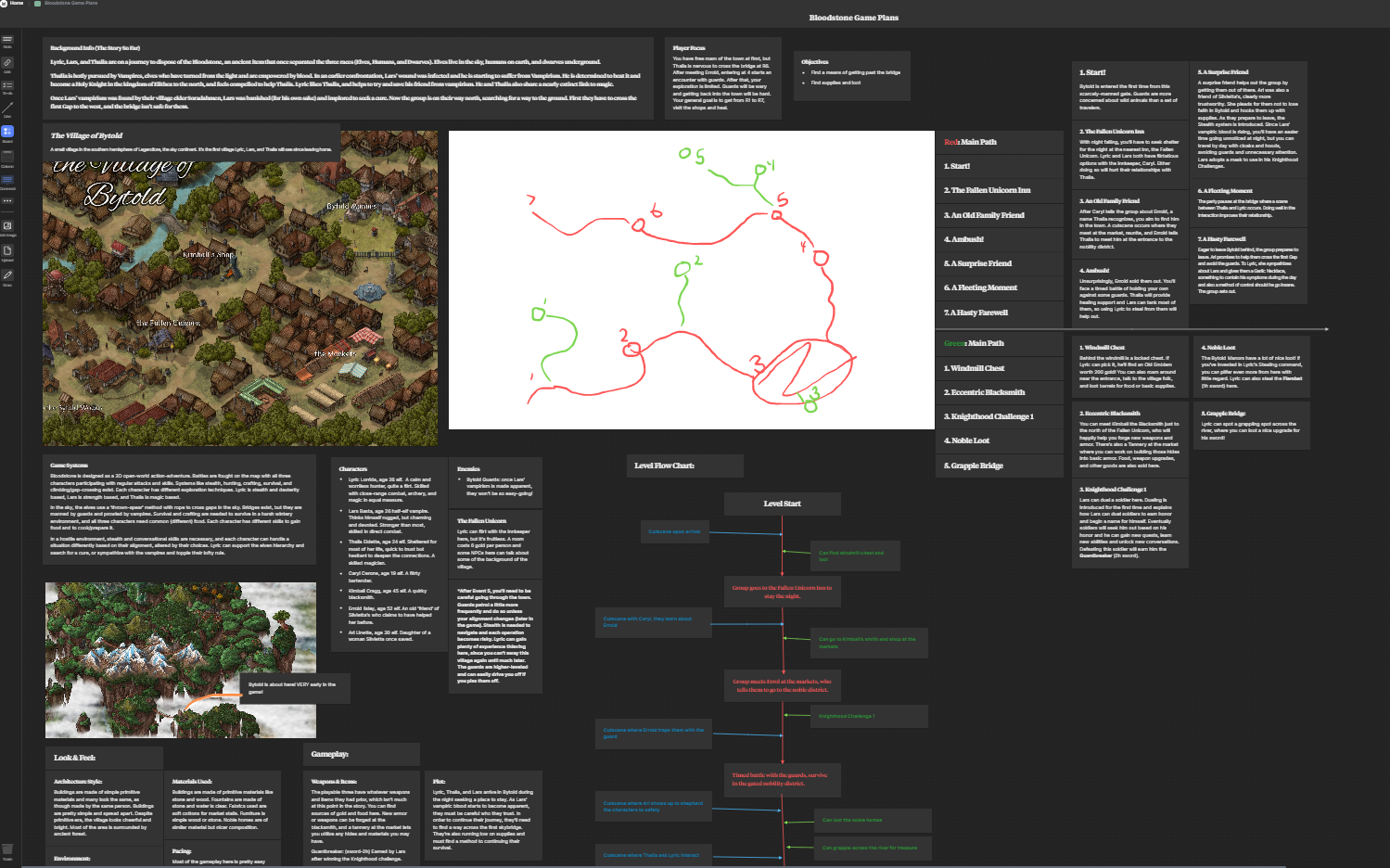
For the record, this is super zoomed out as well.
The above file is also a preview of many gameplay aspects of Bloodstone, which is a WIP both in writing and game design. I was able to organize it to include all necessary aspects of a level, with plotted points, a flowchart, quests, sidequests, and geological details. Fun fact: while the Bytold map is from Sovereign Soul, the map below it is official for Bloodstone! A couple chapters of this book are also available on my Fictionpress – right here.
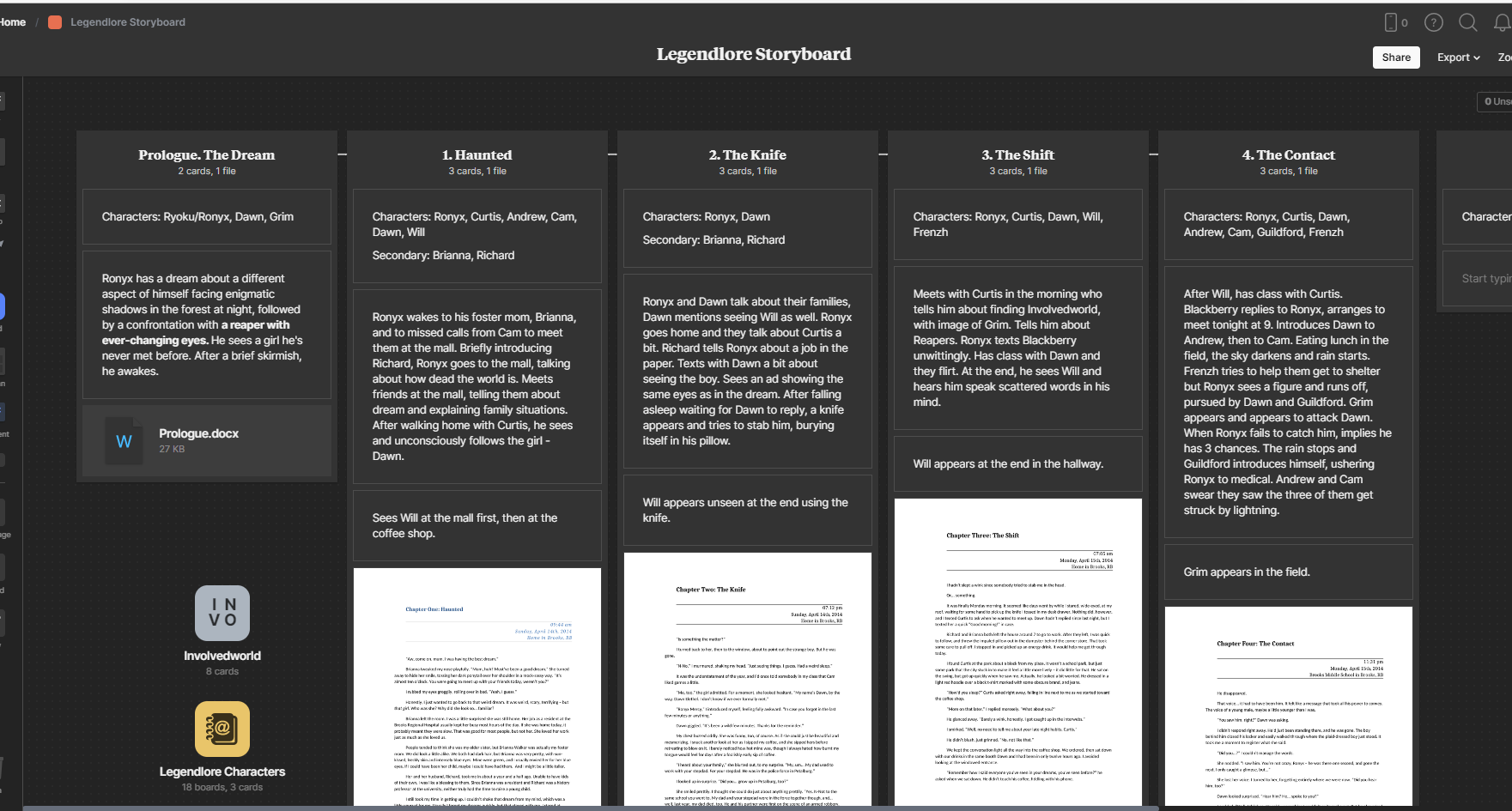
Here’s another document I set up as the storyboard for Legendlore. See the bottom left corner? I was able to put separate storyboards IN Legendlore’s storyboard to link to other things. Unlike above, this isn’t a full screenshot of my file, to avoid some serious spoilers. What you see above is viewable, in written form, on my Fictionpress! Right here.
Milanote makes it really easy to plan stories, games, or sessions with the ability to put documents in your files and connect aspects with a click. I can create a board for each book, and boards within there to separate everything without losing track of it. Oh, and there’s also tons of templates that really helped me get started. You can have a fair amount of storyboards without paying, but I ended up upgrading with this one because I made a character web, and each character has their own board. I may have gone overboard.
Program #2: Nuclino. It isn’t as great for storyboarding, but excellent for folder organization and linking pages together. It’s another app you’ll find recommended in similar videos mentioned above. I’ve been utilizing both, and this one’s been big for the game dev side of things. But as you can see below, it’s pretty good for organizing story elements as well.
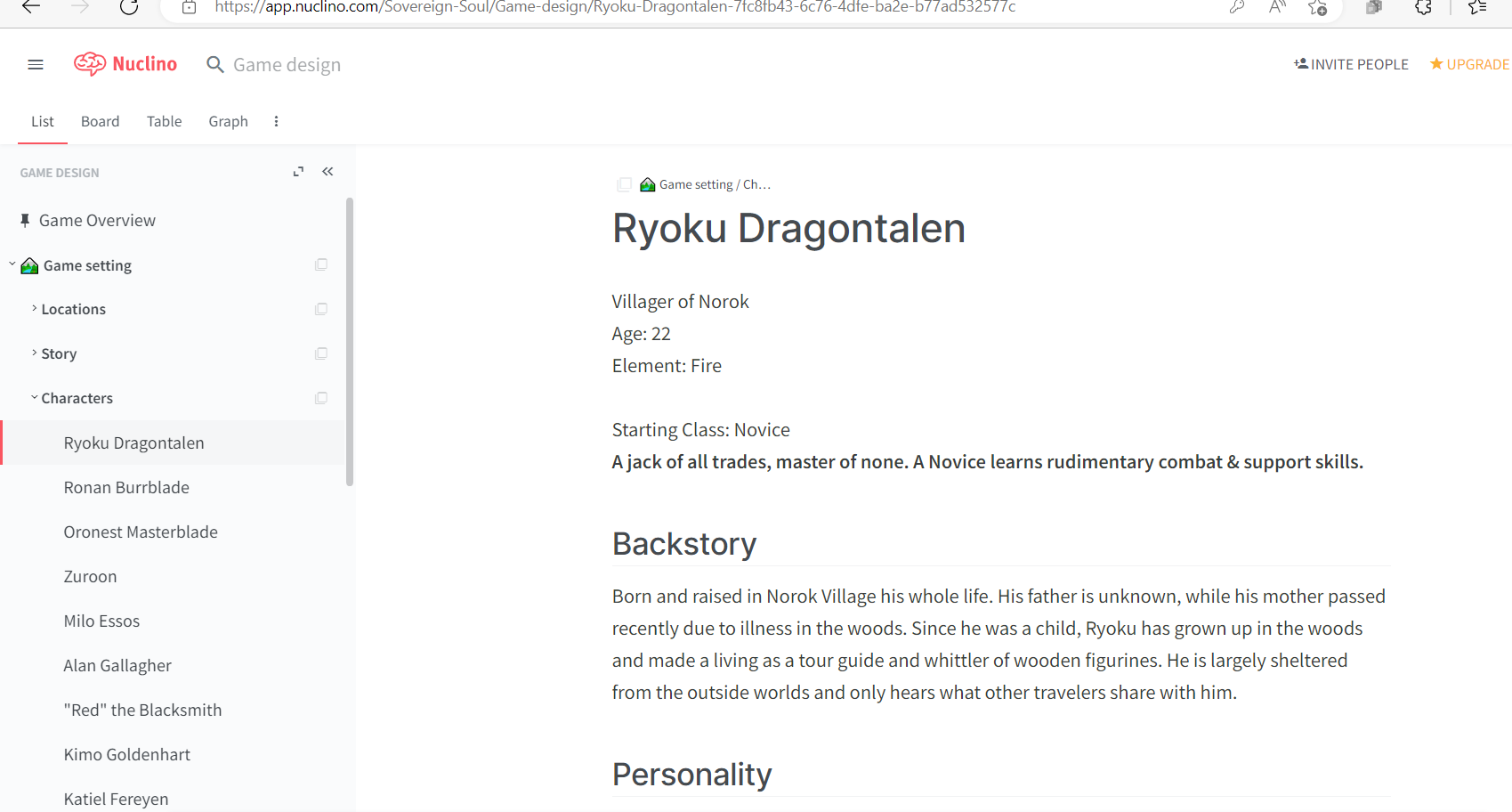
The topic here is the Defenders of Laia game – also in development to match the story (viewable here). It lets me organize the aspects of the story, link chapters to characters, settings, the story, and more. Nuclino isn’t as friendly for the click-and-drag storyboarding style, but I like how easy it is to link things by words alone. For example, in the above document, I can easily link to places like his home village, his close friends, and chapters he’s involved in. If I want to change things, it’s easy to do and affects the whole document.
In this particular case, I haven’t gone premium yet because I haven’t felt the need. You do get a free trial for, I believe, a month of using this app for the first time. Even without it, you can keep 50 docs.
Program #3: Figma. This one is a powerhouse for game development and storyboarding. You can bring in images with at least half the image functionality of Photoshop, which is a lot for a storyboarding app. You can add filters and slide bars to change your images pretty drastically, which makes it really good for UI design as well. It’s easy to create arrows and shapes, click and drag to resize things, and you get a huge canvas.
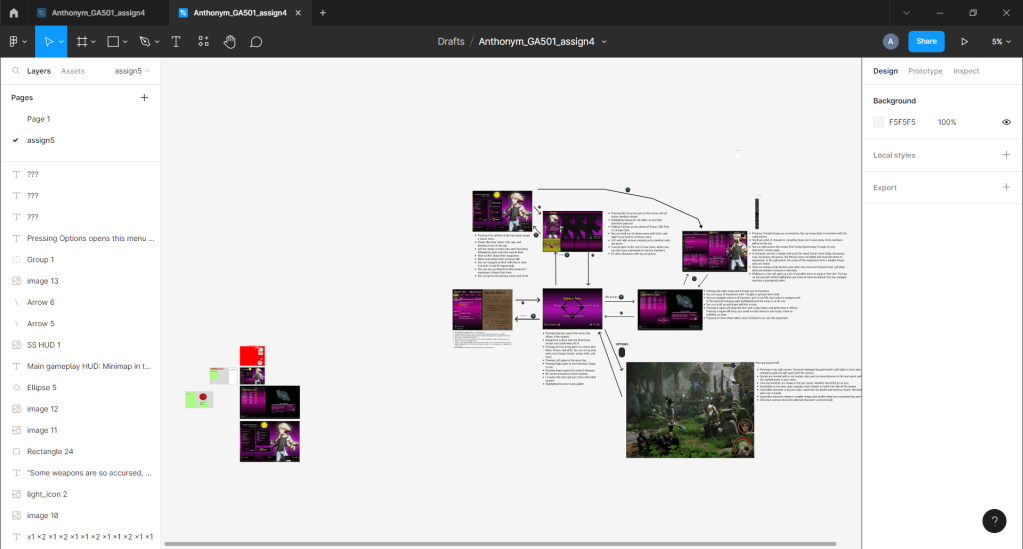
Above is an assignment and the basis for the Sovereign Soul UI. That’s right – that’s also in concept. This is also super zoomed out. In regular view, the smaller red image in the corner is about the size of the screen. See how many images and assets I have in the side? Each of those windows is made up of some things I made on Photoshop, and others I created or modified right in the app. You’re limited in the free version for how many pages and documents you can have, but the canvas you’re given is huge. You can easily work on multiple projects in one page and just zoom out, then in to your next project. I do use this one enough that it’s on my wishlist for premium, too. I just haven’t hit a limit yet, and it’s been huge for my game dev & writing.
Program #4: Evernote. This one is a powerhouse for me, and it’s something I’ve been using for years. The daunting task of moving all my documents to a new source is partially what inhibits me from moving on from this app, and I keep making new stuff. Story notes, ideas, and character profiles? D&D session notes and campaign planning? Game design notes and system planning? It’s all right here.
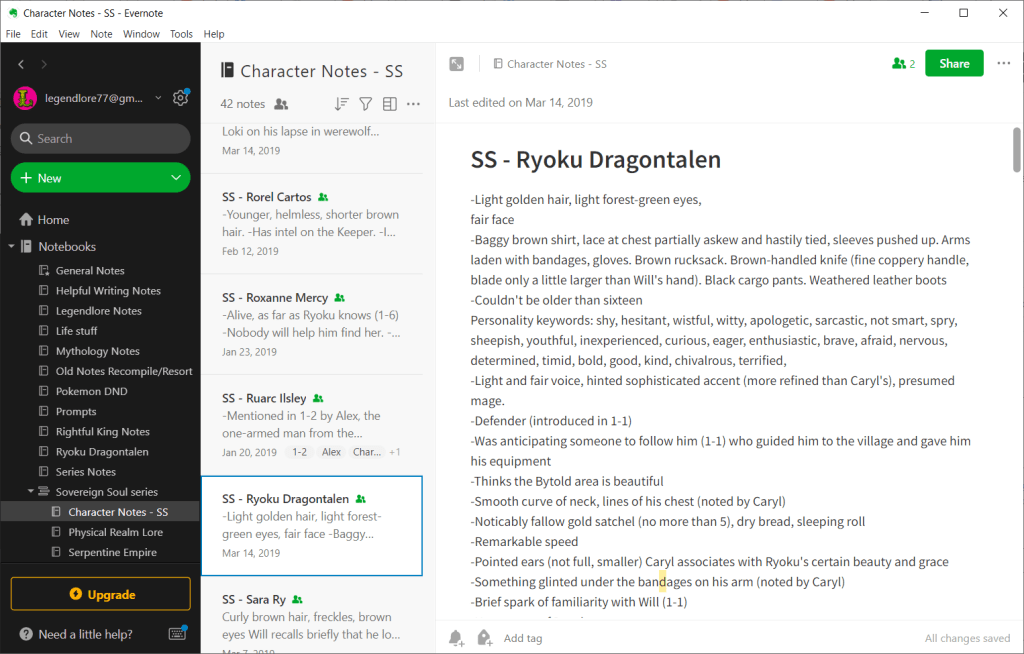
I have notes upon notes upon notes here, and you can sort them out super easily. Tons of notes for my books, D&D campaign planning, writing prompts, and even clippings or images I’ve grabbed for inspiration – they all sit right in the app. Unlike the above three, this one’s on mobile too. I have a system set up where I can add a note straight from my lock screen. It’s helped me a lot over the years. According to the app, I have 838 notes, all sorted into groups, notebook stacks, and more. Oh, and I haven’t even upgraded to premium. You can have a lot of power without needing to pay. And when I do find the need to upgrade, I probably will just for how useful this app has been in my career.
Well, that’s all for now. If you haven’t seen them already, have fun checking out the above apps! Even if you don’t like them, it’s perfectly free to try them out and see what you think. One of them might just be what you’ve been looking for!

 Sovereign Soul